A takeaway or snack bar can take orders through a self-ordering kiosk at the counter, a QR code on the guest's own phone and its own webshop for collection and delivery. Most start with the channel where the queue or the phone is busiest and add the others later.
Why takeaways and snack bars are moving to digital ordering
Do you run a takeaway or snack bar and wonder how digital ordering would work at your counter? At peak times one person takes orders, answers the phone and handles payments while the queue grows. Digital ordering moves that part to the guest: they order and pay themselves, and your team concentrates on preparing the food.
There are three channels, and you do not need all of them on day one: your own ordering webshop, a self-ordering kiosk at the counter and QR ordering on the guest's own phone. Below you can read what each one does and when it fits.
Your own ordering webshop: orders without the phone ringing
With your own online ordering webshop customers browse your menu and order directly from you, for collection or delivery. You can set the webshop to collection only or delivery only, work with time slots and let customers order in advance for later.
What it gives a takeaway or snack bar:
- Orders come in online instead of by phone
- Your current menu with product photos, promotions and allergen information
- Reports that show what sells best and when
- Relevant extras suggested during ordering
The webshop carries your own name and branding. You pay a subscription and 0% commission per order; your payment provider's fees are separate.
Self-ordering kiosk: guests order at the counter themselves
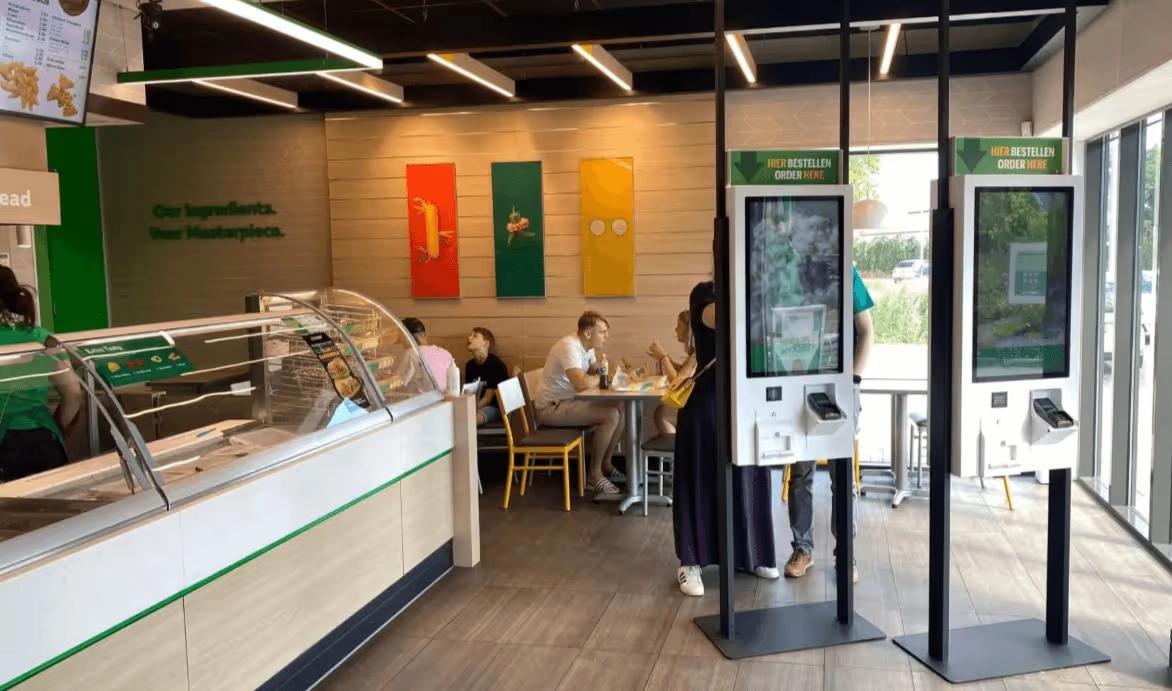
A self-ordering kiosk lets guests place and pay for their own order as soon as they walk in. The order goes to the kitchen screen or receipt printer, or to your POS when it is connected.
Where it fits:
- The lunch and evening rush, when the counter is the bottleneck
- Guests who want to look at the menu at their own pace
- Extras such as sauces, sides or drinks, suggested at the right moment
- Small venues: you can start with a single kiosk
Because guests see relevant extras without time pressure, a kiosk can contribute to a higher average order value, depending on your type of venue and menu. Guests can follow their order on an order status screen in your own branding, or get a text message when it is ready.
QR ordering: your menu on the guest's own phone, without an app
With QR ordering guests scan a code and order on their own phone. There is nothing to download: behind the QR code is a web page with your menu. If you have seating, you put a QR code on each table; if you mainly do collection, one general QR code is enough and the guest receives a text message with the pick-up point when the order is ready.
Why it works for a snack bar:
- Guests use their own phone, so there is no ordering hardware to place
- Guests switch the menu to their own language
- Discount codes, loyalty points and customer cards are possible; ask us what fits your set-up
How this works with Jamezz
Jamezz provides a self-ordering kiosk, QR ordering and your own ordering webshop for takeaway and delivery, all from one platform. You pay a subscription and 0% commission per order; your payment provider's fees are separate. With a supported POS, Jamezz retrieves the menu from the POS and places orders in it; without a POS, Jamezz runs on its own with a kitchen screen or receipt printer.
Which channel should you start with?
Start where the pressure is highest. Is the queue at the counter the problem? Begin with a kiosk. Is the phone the problem? Begin with the webshop. Do guests eat in? Add QR codes to the tables. All channels run on one platform, so you can add the next one later.
Digital ordering is not only for large chains. Would you like to see how it would work in your takeaway or snack bar? Request a demo and we will walk you through it in about 30 minutes.
See also what Jamezz offers for independent takeaways and snack bars and for fast food restaurants and chains.
Frequently asked questions
Can a small takeaway start with a single self-ordering kiosk?
Yes. You can start with one kiosk and add more kiosks, QR ordering or a webshop later on the same platform.
Does digital ordering work with my POS, or without one?
Both. Jamezz connects with 13 POS systems plus Deliverect; with a supported POS, orders go into the POS. Without a POS, Jamezz runs on its own with a kitchen screen or receipt printer.
Do I pay commission on orders from my own webshop or kiosk?
No. Jamezz charges a subscription and 0% commission per order on every channel. The fees of your payment provider are separate.
Do guests need to download an app for QR ordering?
No. The QR code opens a web page with your menu on the guest's own phone; nothing has to be installed.
Share this article