Nine practical benefits of a self-ordering kiosk for restaurants and other hospitality venues, plus the drawbacks to plan for and how a kiosk compares with QR and tablet ordering.
Self-order kiosks let guests order and pay at their own pace and can suggest relevant extras. With a supported POS, kiosk orders go to the POS through the integration.
9 Benefits of a Self-Ordering Kiosk for Your Venue
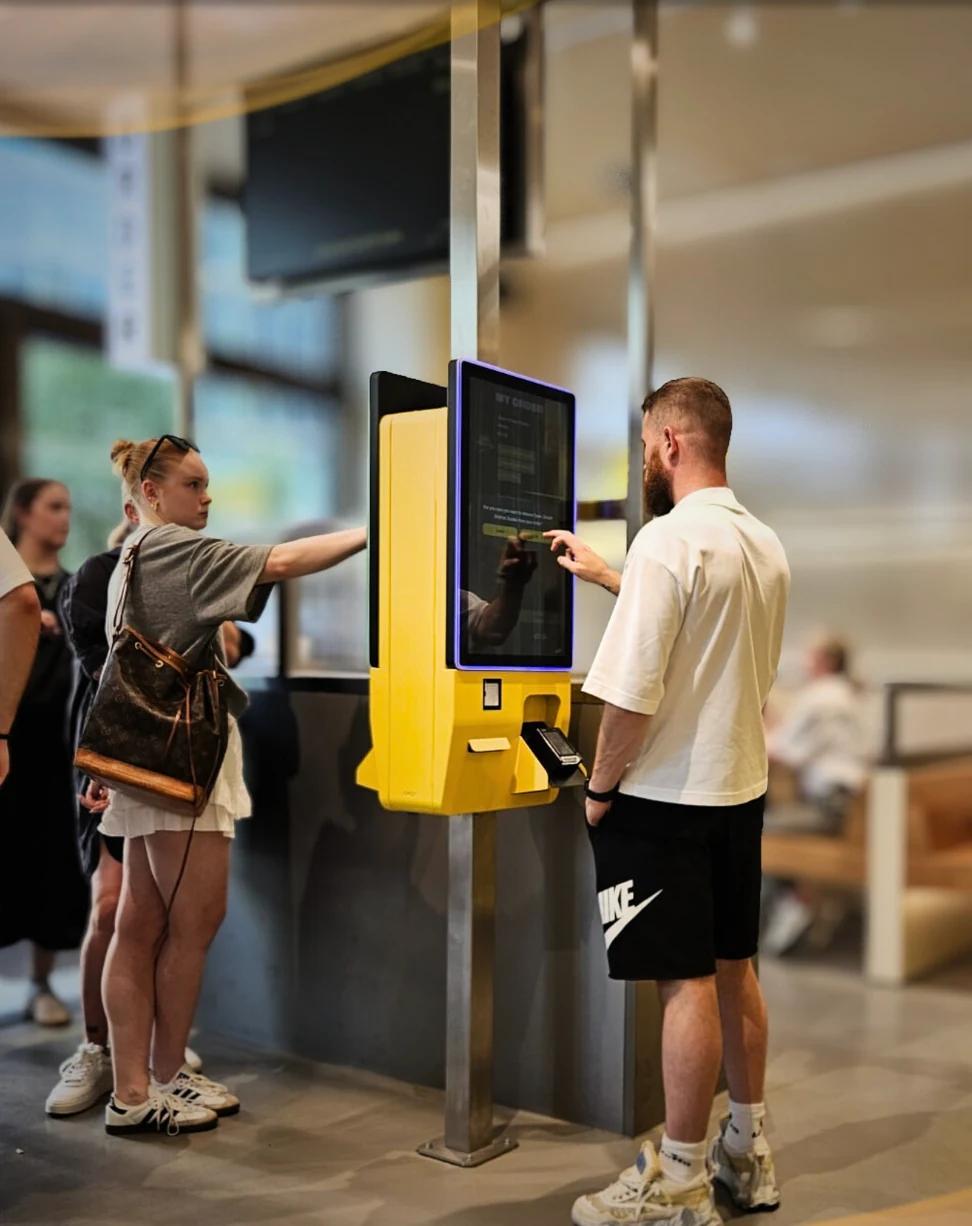
Running a hospitality business means dealing with staff shortages, rising costs and guests who expect quick, clear ordering. A self-ordering kiosk is a touchscreen where guests place and pay for their order themselves. Whether you run a fast-food chain, an airport café or a beach club, these are nine benefits to weigh up.
1. Let Staff Focus on What Matters
With a self-order kiosk in place, guests enter their own orders and pay at the kiosk. Instead of manning the counter, your staff can focus on other high-value tasks like food prep, hospitality, and ensuring quality, also during peak hours.
2. Give Guests the Time to Order Right
People are more comfortable exploring the menu when they're in control. No judgment. No pressure. Just a screen, some tasty options, and time to think.
3. Built-In Upsell Suggestions
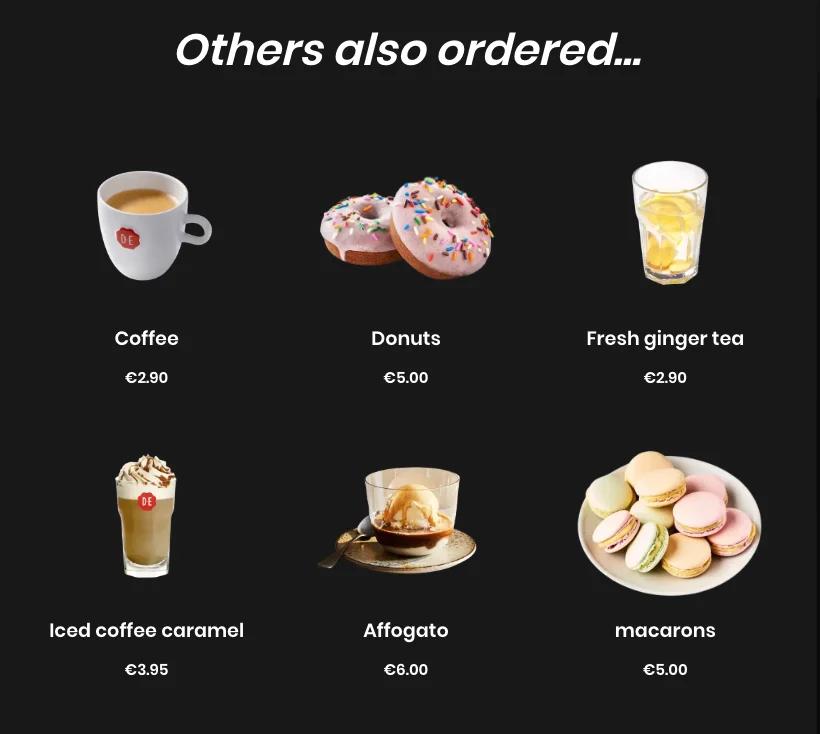
Kiosks don't just take orders. They suggest relevant add-ons at the right moment:
• Clear visuals and prompts ("Add bacon?")
• No awkwardness – guests can say yes or no without feeling judged
With Jamezz, suggestions can be based on the cart, the time of day, the location and the weather. More on this in the psychology behind upselling.
4. Highlight What You Want to Sell Most
Want to promote a combo deal or a seasonal special? On a kiosk you decide which items come first: put your top items front and centre with larger images and promote what matters most to your business. No need to rely on staff remembering it all. Promotions and happy hours can start and stop automatically at set times. You can also show promotions in the ordering screen itself.
5. Speaks Everyone's Language (Literally)
Tourists? International guests? No problem. With multilingual support, kiosks let customers choose their preferred language, so they can order in a language they understand. The Jamezz platform supports 25+ languages, and you choose which ones to offer.
6. Accessible for More Guests
A kiosk can make ordering easier for guests who find a busy counter difficult. The Jamezz kiosk has a wheelchair mode, and as an optional extension blind and visually impaired guests can connect their own earphones and navigate with arrow keys. Allergen and dietary filters help guests find what they can eat.
7. Save Space and Keep the Flow Moving
A kiosk takes up little floor space and adds an extra ordering point without extending the counter, which helps in busy or compact venues.
8. Sold-out items leave the kiosk menu
With a POS integration, the kiosk menu is retrieved through the integration. An item you take off the menu is no longer offered on the kiosk, which saves guests a disappointment and spares your staff from explaining it 100 times.
9. And Even More Smart Perks
• Auto-switching menus (breakfast → lunch → dinner)
• Guests enter their own order, with no handwritten notes to decipher
• Digital order data you can use when reviewing your menu and service
• An extra place to order and pay during rush hours
Kiosk, QR or tablet: which fits?
A kiosk suits counters and queues, QR ordering suits table service and table tablets suit round-based ordering at the table. Many venues combine channels on one platform; the restaurant ordering system guide compares them. Choosing a kiosk? Read the kiosk software buying guide.
Do kiosks replace staff?
No. They take over order entry, so staff spend more time on preparation and hospitality. Guests who prefer to order with a team member should still be able to. More on this in staff shortage in hospitality.
Are self-ordering kiosks worth it, and what are the drawbacks?
A kiosk is worth considering when guests queue at a counter and order entry keeps staff from other work. Plan for the drawbacks too: a kiosk needs floor space and a stable internet connection, your menu, photos and options have to be set up properly, and some guests will always prefer to order with a person. Small venues do not need a large project to try it: you can start with a single kiosk and rent, lease or buy the hardware via the hardware partner. Measure the effect yourself by comparing average order value and order volume before and after go-live.
How this works with Jamezz
With a Jamezz self-ordering kiosk, guests order and pay themselves on a touchscreen, with relevant extras suggested during ordering. With self-scan, guests can also scan products themselves and add, for example, a sandwich or a coffee, all in one checkout. The kiosk has a wheelchair mode, and as an optional extension blind and visually impaired guests can connect their own earbuds and navigate with arrow keys. With a supported POS, Jamezz retrieves the menu from the POS and places orders in it; without a POS, Jamezz runs with kitchen screens and receipt printers. You can rent, lease or buy the hardware through our hardware partner.
Conclusion
Self-order kiosks aren't just a tech trend, they're a practical tool to organise ordering differently and meet your guests where they are. Whether you want guests to enter their own orders, offer relevant extras with every order, or simply let guests order at their own pace, kiosks are worth a serious look.
Ready to see how a kiosk could work in your business? Request a demo.
Frequently asked questions
What is a self-ordering kiosk?
A self-ordering kiosk is a touchscreen terminal where guests browse the menu, place their order and pay themselves. The order goes to the kitchen and, with a supported POS, to the POS through the integration.
Are self-ordering kiosks worth it for small restaurants?
They can be, especially when guests queue at the counter. With Jamezz you can start with a single kiosk, and the hardware can be rented, leased or bought via the hardware partner.
What are the disadvantages of a self-service kiosk?
A kiosk needs floor space and a stable internet connection, the menu has to be set up carefully, and some guests prefer to order with a person. Keep a staffed ordering point next to the kiosk.
Can a self-ordering kiosk be used outdoors?
Yes, outdoor kiosks are possible with Jamezz. Ask which model suits your location.
Share this article