What does Jamezz offer an independent takeaway or snack bar?
Jamezz is an ordering platform for hospitality. For an independent takeaway or snack bar it comes down to three things: a self-ordering kiosk at the counter, your own webshop for collection and delivery, and a kitchen that sees every order on a screen or ticket straight away. You connect Jamezz to a supported EPOS, or you use it on its own with kitchen screens and order printers. Businesses that work with Jamezz include AnyTyme, Frituur Wim and Frituur op de Dam.
Three ordering channels for your business
Choose what suits your business. The channels share one menu, so you keep your range up to date in one place.

A self-ordering kiosk at the counter
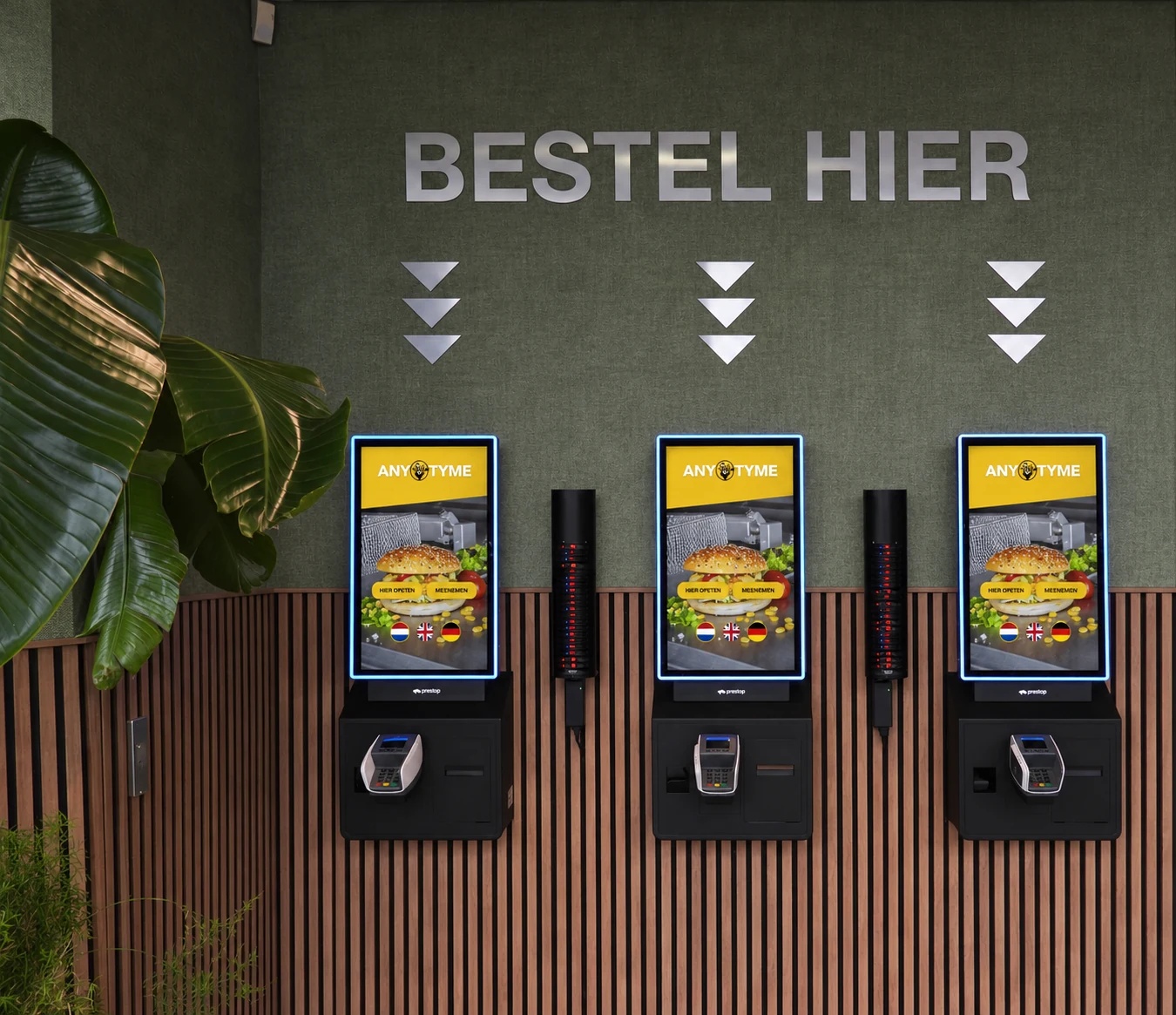
Guests put together and pay for their own order at the kiosk while you carry on at the counter. Jamezz supplies the kiosk solution with software and suitable hardware, from Jamezz itself or through a partner.
- You can start with a single kiosk
- Rent, lease or buy through our hardware partner
- For indoors and outdoors
- Card, contactless, Apple Pay and Google Pay

Online ordering for collection and delivery
In your own ordering webshop guests order ahead and choose a collection time. You pay a fixed subscription and 0% commission per order. You decide whether to offer collection, delivery or both.
- 0% commission per order
- Guests choose a collection time or time slot
- Collection only or delivery only is possible too
- Collection, delivery or both: you decide

Ordering through a QR code
If you have seating or an outdoor area, guests order through a QR code on their own phone. There is no app: behind the code is a website.
- A QR code for each table
- Or one general code where guests enter their table number
- Or a text message when the order is ready, with the collection point
- Order and pay on their own phone
From order to handover
This is how an order moves through your business, from the kiosk or the webshop to the moment the guest collects it.
Suggestions and combinations during ordering
At the kiosk and in the webshop you can have extras suggested, such as a sauce, a drink or a larger meal. You decide what is suggested and when. Combo deals and limited-time offers start and stop at the times you set.
Orders to the kitchen
Orders from the kiosk and the webshop arrive on kitchen screens and order printers you set up with Jamezz, or go through your EPOS. You can use several screens and printers and decide per screen or printer which products appear on it, for example fried food separate from the drinks.
Sold out in one step
When something runs out, you mark it as sold out from the kitchen screen, on all channels at once or per channel. You choose whether it stays visible as sold out or disappears from the menu.
Order ready screen, text message or pager
When an order is ready, you mark it on the kitchen screen. Guests see it on an order status screen in your own branding, portrait or landscape, or they get a text message or a buzz on a pager. You choose what suits your business.
With or without an EPOS integration
If you work with a supported EPOS, Jamezz retrieves the menu from it and places the orders in it. The EPOS integration is included in the Jamezz subscription; your EPOS supplier may charge on its side. If you are still looking for an EPOS system for your takeaway, Jamezz advises on the choice; the EPOS itself comes from the EPOS supplier or a partner.
Payment through the payment provider
Online payment runs through a payment provider. Which payment methods guests get depends on the connected provider: they are available if the provider offers them and you activate them. Jamezz itself charges no transaction fees; you pay those to your payment provider.
Several sites or a chain?
This page is written for independent takeaways and snack bars. If you run a fast food concept with several sites or a quick-service restaurant, the fast food page shows how you manage menus, sites and ordering channels centrally.
We integrate with your POS system
Connect your Jamezz digital ordering app with systems such as




2,000+
Combine your passion for hospitality with our passion: smart technology.


Frequently asked questions from takeaways and snack bars
About the kiosk, online ordering, the EPOS and the costs
That depends on your space, the number of guests at peak times and whether the kiosk stands indoors or outdoors. Jamezz supplies the kiosk solution with software and suitable hardware, from Jamezz itself or through a partner, and the hardware can be rented, leased or bought through our hardware partner. In the demo we look at which setup suits your business.
Yes. You can start with a single kiosk and add more later. Jamezz works for hospitality businesses from one location to more than 200 locations.
Not necessarily. Jamezz can be used on its own, with kitchen screens and order printers you configure yourself. If you have a supported EPOS, you connect it: Jamezz retrieves the menu and places the orders in the EPOS.
On a kitchen screen or an order printer. With an EPOS integration, orders go through your EPOS by default; a Jamezz kitchen screen or order printer alongside it is possible too. You can use several screens and printers and divide the products between them.
Guests pay by card, contactless, Apple Pay or Google Pay. Other payment methods run through the payment provider you connect: they are available if the provider offers them and you activate them.
The price consists of a fixed monthly subscription, a one-time setup fee per solution and the hardware. The EPOS integration is included in the subscription and you pay no commission per order. The amount for your business is set out in a quote after the demo.
Yes. You set the webshop to collection only, delivery only or both. Guests choose a collection time.
A lead time of 1 to 2 weeks is usual, sometimes faster. It depends on what we agree, for example about the hardware, your menu and the EPOS integration.