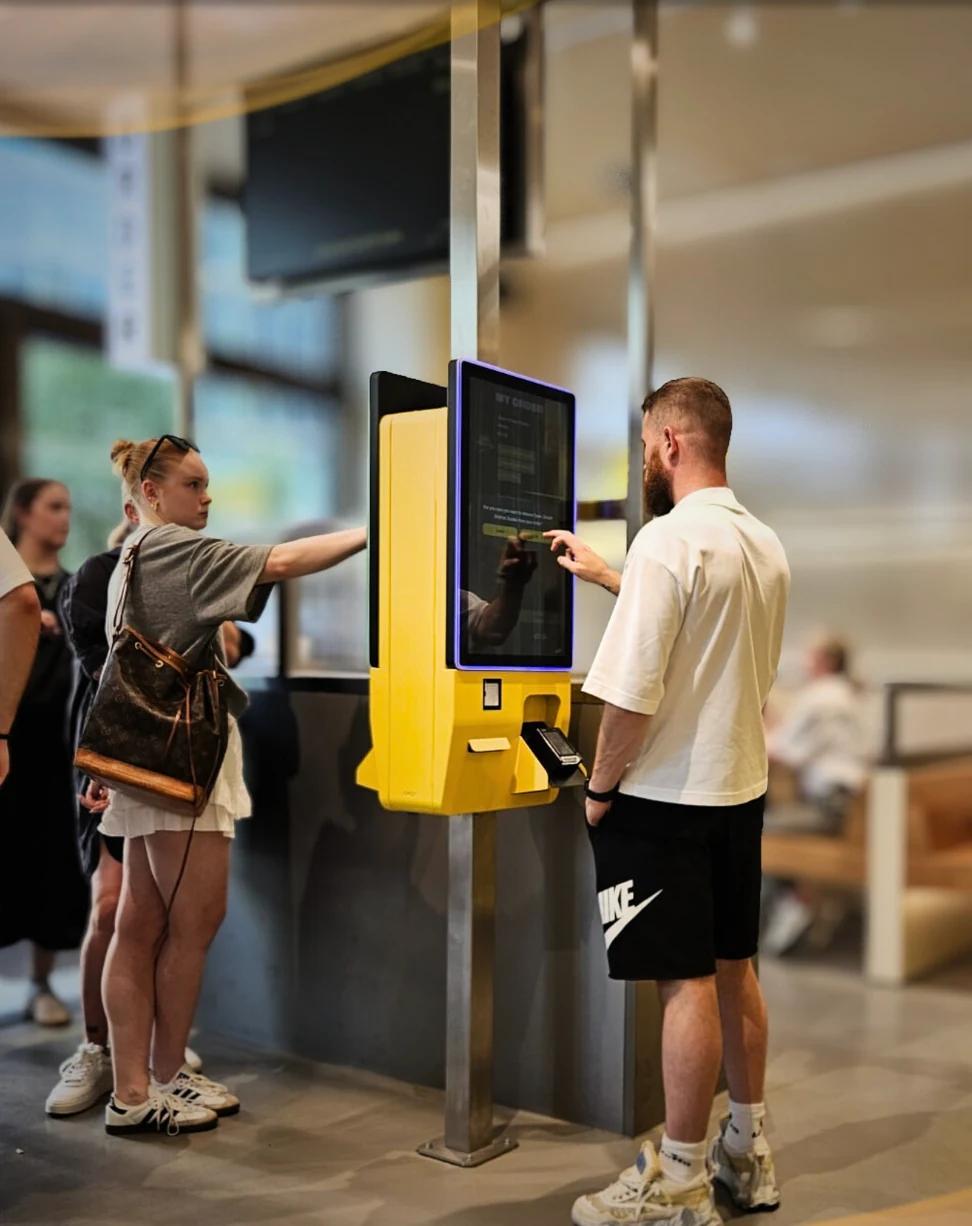
With self-order kiosks near the collection points and QR codes at the seats, visitors order and pay themselves. The serving team no longer has to take orders and payments, and can concentrate on preparing and handing over. This article covers where to place the kiosks, how collection and payment work, and what you need.
How do self-order kiosks work in a stadium?
In a stadium or at an event, nearly everyone comes at once: at half-time, in the interval or between two acts. At an ordinary counter, one member of staff then does three things: take the order, take the payment and hand over.
With a self-ordering kiosk, the visitor does the first two. They choose on the screen, pay at the kiosk and receive an order number. The order arrives at the collection point, where the team prepares it and hands it over. The buying information is on the page about stadium concession ordering; this article is about practice.
Ordering from the seat or the skybox by QR code
Not every visitor has to walk to a kiosk. With QR code ordering, someone orders from their seat, in the skybox or wherever they are, on their own phone and without an app.
For collection there is a variant that needs no table or seat number: the visitor receives a text message as soon as the order is ready, stating the collection point. So they only walk when there is something to collect.
Where to place kiosks and how pick-up works
• Place kiosks near the busiest points, but not in the walkway: visitors must be able to order without blocking the passage.
• Separate ordering and collecting. A dedicated collection spot next to the kiosks keeps people who are waiting apart from people who are ordering.
• Outdoors is possible too. Jamezz has outdoor kiosks for squares and outdoor areas.
• Show the status. On an order status screen, visitors see from their order number or name whether their order is ready.
• Divide the work. Per collection point you can use several kitchen screens and decide per screen which products arrive there, for example drinks separate from hot food.
Several vendors in one basket, and sponsor promotions
At an event there are often several vendors side by side. Visitors can order from several vendors in one basket and pay once; each vendor receives its own part of the order.
You can show sponsor logos and promotions in the ordering screen. That makes the kiosk or ordering page a place for your partners as well. Read more on the page about ordering for events and festivals.
Paying at the kiosk: card terminal, cash and cashless
Card payment at the kiosk runs through a payment terminal from the payment provider. That is possible with Adyen, Mollie, CM.com, PAY., CCV or Worldline.
Cash payment at the kiosk is possible too.
Cashless with wristbands or RFID depends on the POS and is something we look at per project.
What you need to get started
• A stable internet connection in the places where people order.
• Hardware. You can start with a single kiosk. You rent, lease or buy hardware through Jamezz's hardware partner.
• A subscription that fits your calendar. Besides an annual subscription there are a flexible subscription and a seasonal subscription.
• A POS, or none. Jamezz integrates with supported POS systems and also works on its own, with kitchen screens and receipt printers.
Curious about the benefits in general? Read about the benefits of self-ordering kiosks. Want to discuss the set-up for your stadium or event? Request a demo.
Frequently asked questions
How do self-order kiosks reduce pressure at half-time?
Visitors order and pay themselves at the kiosk. The team at the collection point does not have to take orders or payments and concentrates on preparing and handing over.
Can fans order from their seat?
Yes. With a QR code, visitors order from their seat, in the skybox or wherever they are, on their own phone and without an app.
How do visitors know where to collect their order?
With the QR pick-up option they receive a text message as soon as the order is ready, stating the collection point. An order status screen can also show the order number or name.
Can several vendors sell through one ordering system?
Yes. Visitors can order from several vendors in one basket and pay once.
Which payment methods work at a kiosk in a stadium?
Card payment through a payment terminal (Adyen, Mollie, CM.com, PAY., CCV or Worldline) or cash. Cashless with wristbands or RFID depends on the POS and is agreed per project.
Can we rent kiosks for a season or an event?
You can rent, lease or buy hardware through Jamezz's hardware partner; the term and conditions are agreed with that partner. For the software there is, besides an annual subscription, also a flexible and a seasonal subscription.
Share this article